
BigRig_BobWhats up ahead?
Sarah_I10Accident in left lane
TealTruckSwitching to right
MomVanRight lane is moving!
DailyGrindBeen here 20 min
Chat in the Crawl
See it before you're stuck in it. Then chat your way through — anonymously.
Headed out? Open the map and tap into any jam reported through the app to hear what's really happening — before you leave. Already stopped? Chat anonymously with the TrafficJammers around you. Built hands-free and safety-first. Messages vanish when traffic clears.
Free 7-day trial · then $5.99/year · No ads, ever

🛡️ Designed to be used safely

TrafficJam is not a text-and-drive app. It's built for when you're parked, stopped dead in a jam, or planning before you go — never for typing at speed. Every feature is designed to keep your eyes on the road.
🔮Check before you drive. Open Map View and tap into any jam reported through the app, anywhere in the US — on your route, or the road your family is driving tonight. Get the real-time story from the TrafficJammers sitting in it and decide when, or whether, to leave.
🗣️Hands-free voice. Turn on voice input and read-aloud to speak messages and hear them — no typing, no looking down.
🚫Auto-silence above 15 mph. Read-aloud pauses while you’re actually moving. On by default — adjustable in Settings.
🚨One-tap SOS. Share your GPS with your jam and dial 911 in a single tap.
See it in action
Swipe through TrafficJam — from finding a jam to watching it clear.
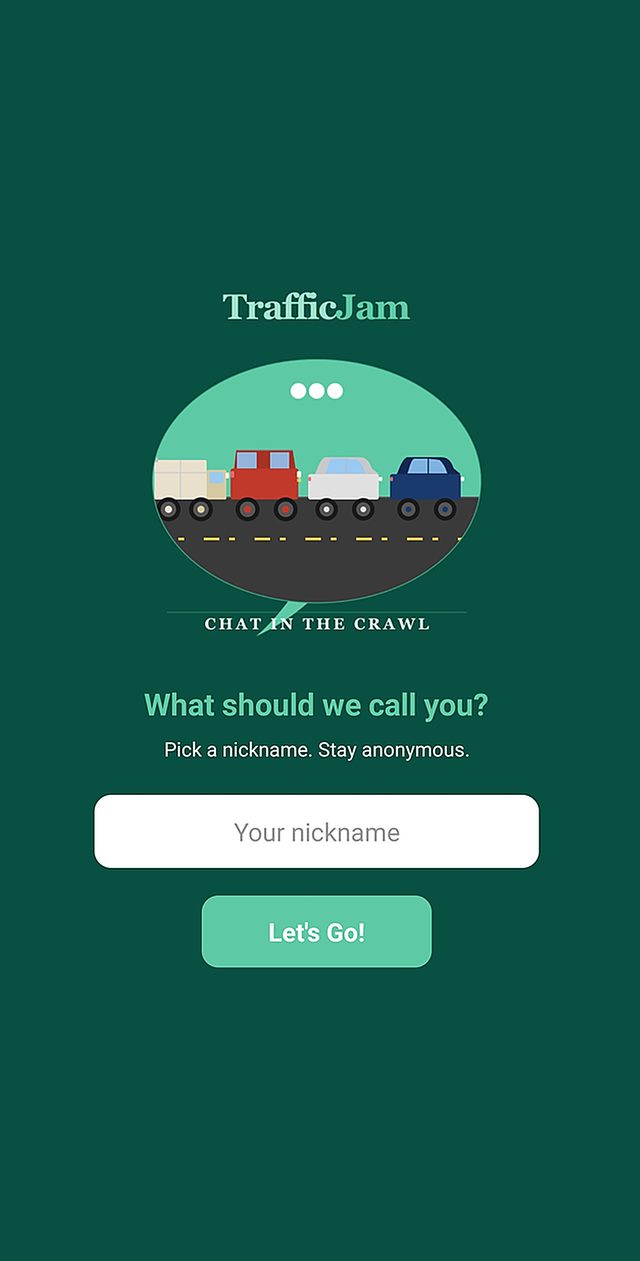
Pick a nickname. That is the whole signup.

Pick a nickname. That is the whole signup.

No account, no email, no phone number. Choose a name and you are in — and nobody ever learns who you are.
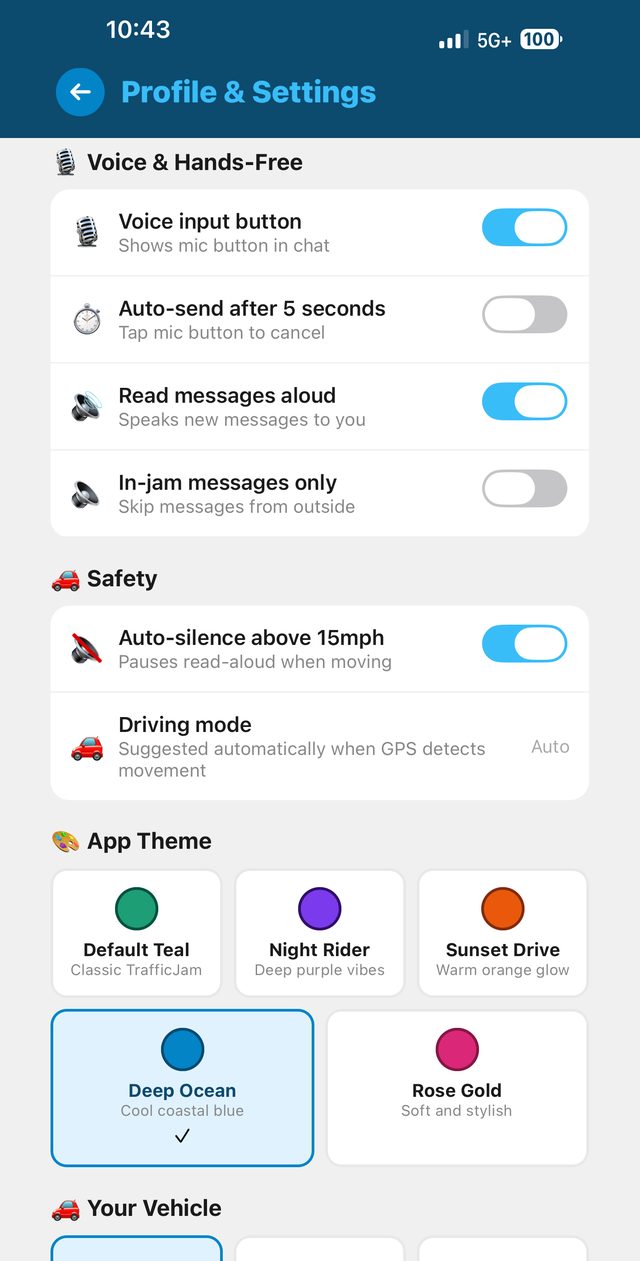
Set it up the way you drive

Set it up the way you drive

Five colour themes, voice controls, and the safety settings. Auto-silence above 15mph is on by default.
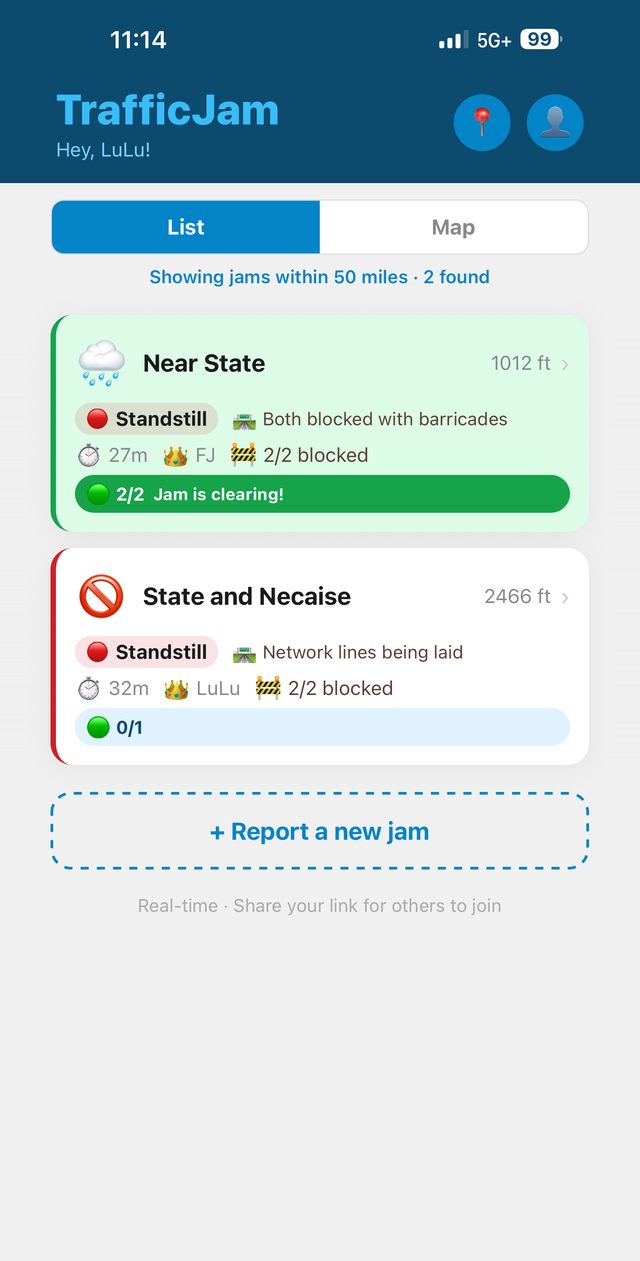
See the jams TrafficJammers are reporting near you

See the jams TrafficJammers are reporting near you

Live list of jams reported through the app — severity, who is chatting anonymously, how long.
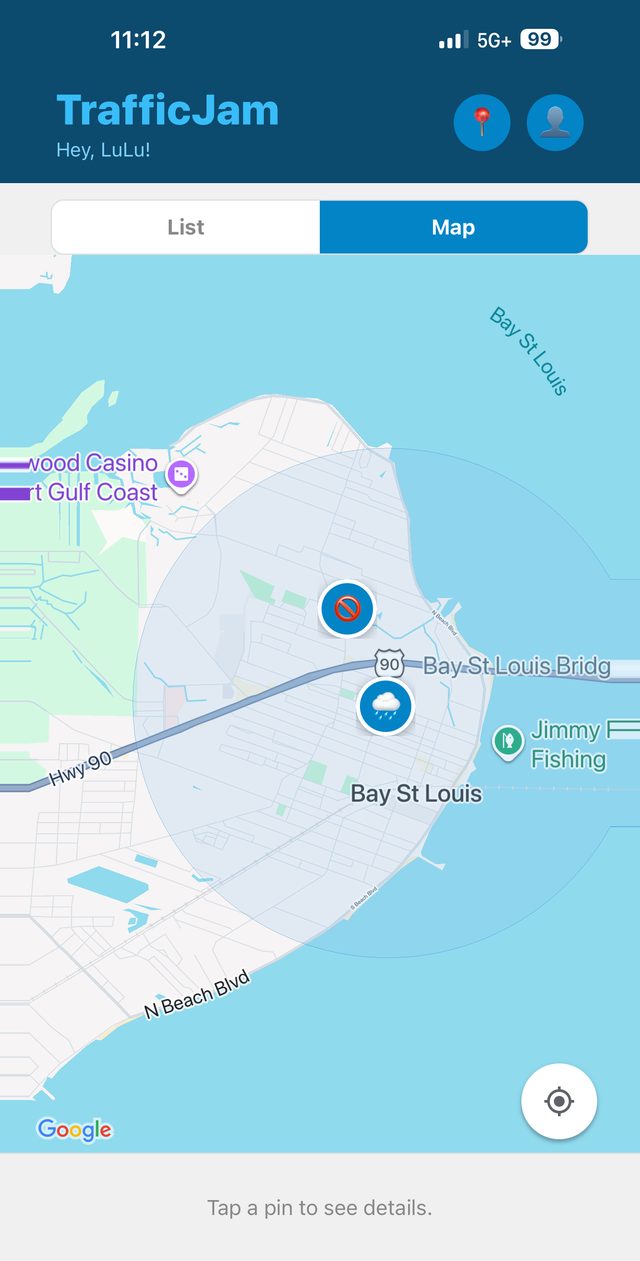
Or scout the map before you go

Or scout the map before you go

Every jam reported on TrafficJam, anywhere in the US. Tap into any one of them from wherever you are.
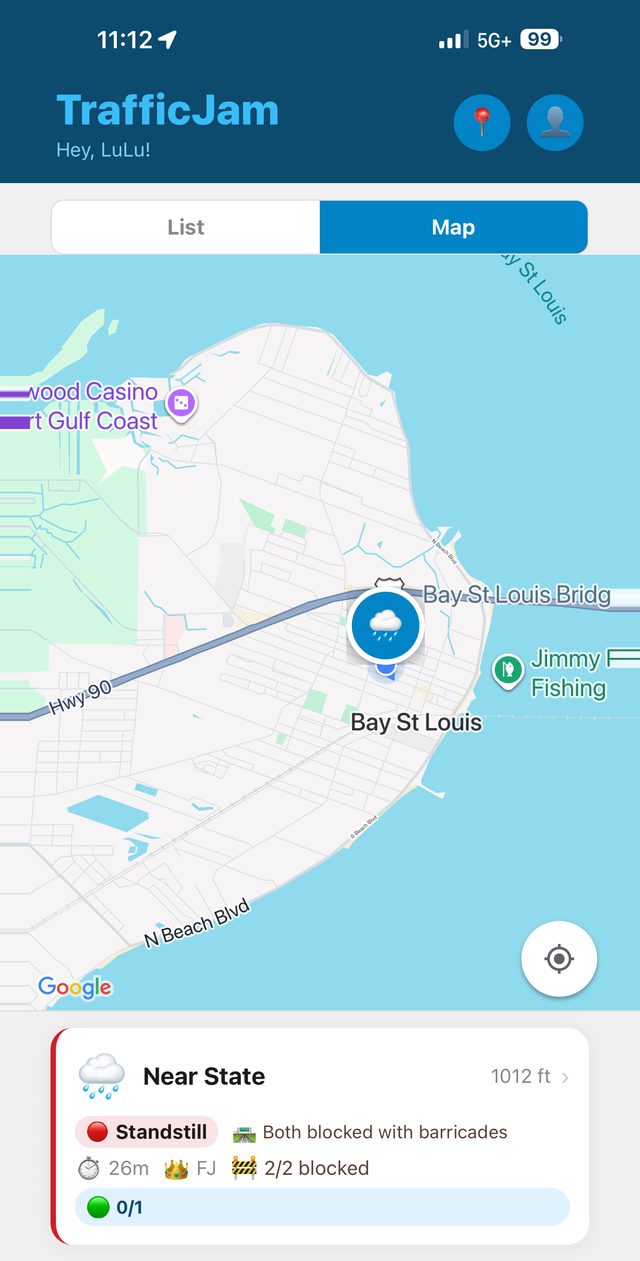
Tap a pin for the whole story

Tap a pin for the whole story

Cause, severity, how long it has been sitting, how many lanes are blocked — before you commit to the road.
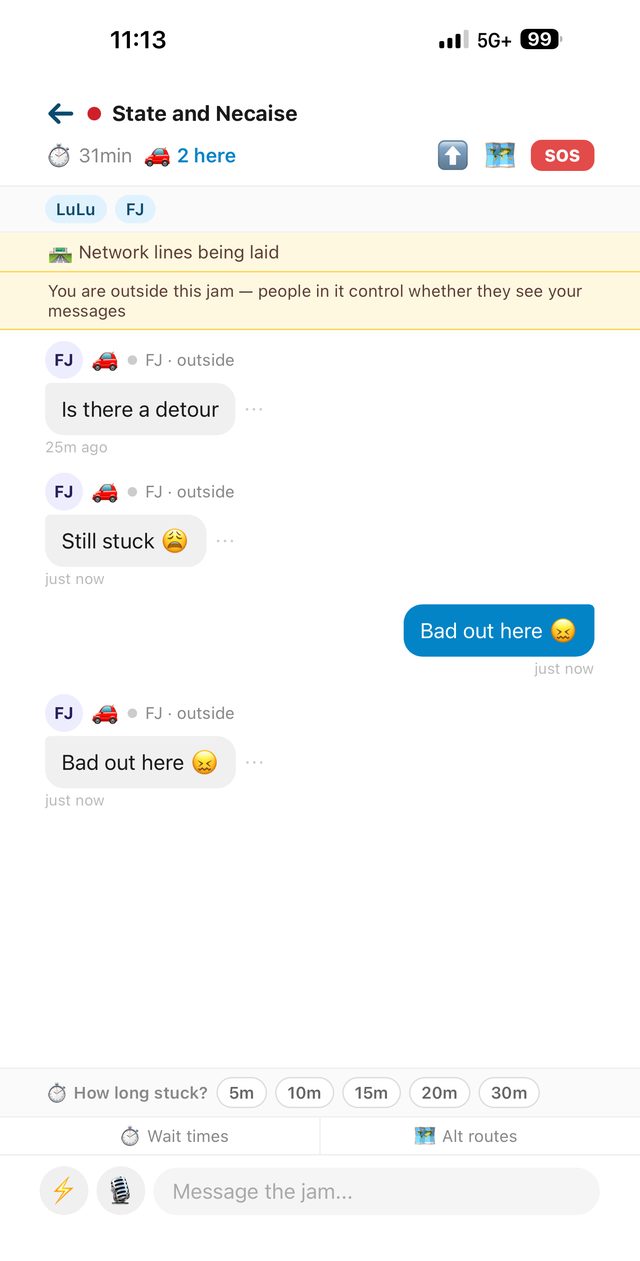
Chat anonymously with the TrafficJammers in it

Chat anonymously with the TrafficJammers in it

Real drivers on that road, no names attached. What exit it is at, what caused it, whether there is a way around.
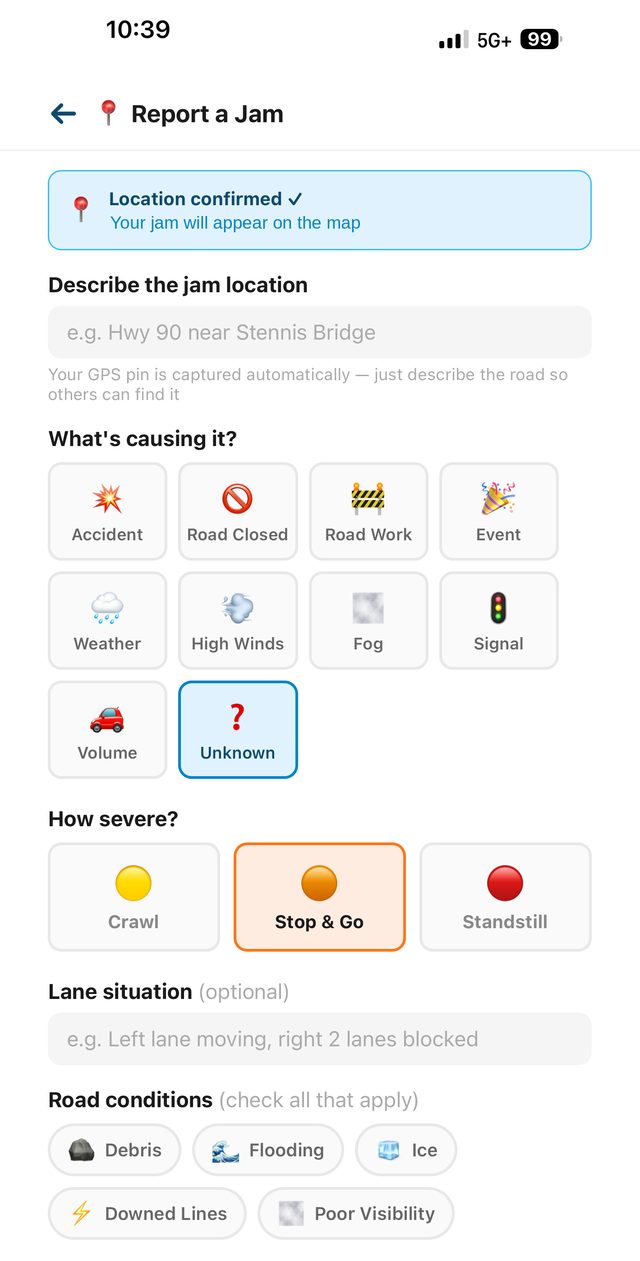
Report your jam in seconds

Report your jam in seconds

Cause, severity, lanes and road conditions — GPS pin captured automatically.
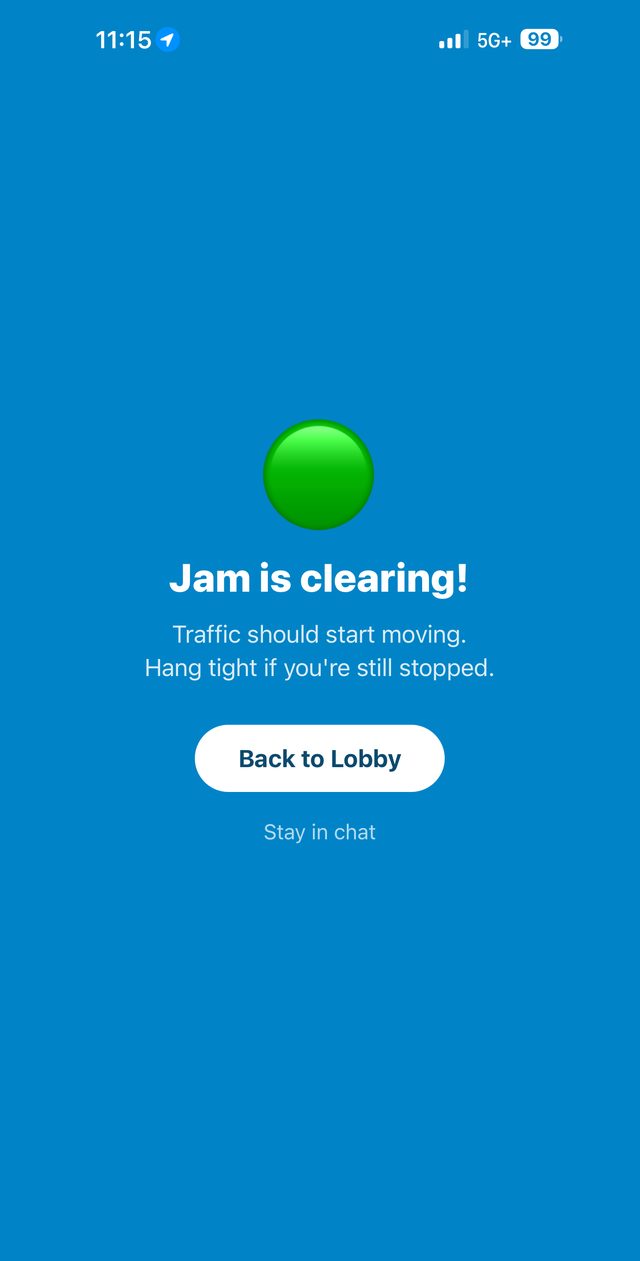
When it clears, the chat clears

When it clears, the chat clears

When the jam clears, the chat goes with it. No history. No trace.

🔮

See It Before You Get There

Open the map, tap into any jam on your route, and hear what's really happening from the drivers in it — so you can decide whether to go before you ever leave.

🗣️

Hands-Free & Safe

Switch on voice input and read-aloud to speak messages and hear them — eyes stay on the road. Auto-silence above 15mph is on by default, so read-aloud pauses while you are moving.

📡

Live Intel, Anonymously

Firsthand info from the TrafficJammers physically stuck in the same jam — what exit it is at, what caused it, whether emergency vehicles are on scene, whether there is a way around. Not algorithms. Real drivers. And nobody ever knows who you are.

👤

Fully Anonymous

Every chat is anonymous, always. No accounts. No sign-ups. No email. Pick a nickname and go. No data to sell.

💨

Messages Vanish

When the jam clears, the chat goes with it — every message auto-deletes. No history. No trace. No archive.

🚨

One-Tap SOS

Emergency? Share your GPS with the jam and call 911 in a single tap — the drivers around you are the closest help there is.

🎨

5 Color Themes

Make it yours. Default Teal, Night Rider, Sunset Drive, Deep Ocean, and Rose Gold.

When the road becomes the emergency

Evacuations. Storm traffic. A wreck that shuts every lane for hours. In a crawl like that, the nearest help is not a mile marker away — it is six cars back. The TrafficJammers around you can see what no map can, and you can ask them anonymously:

“Where is the nearest gas station?” Somebody ahead just passed one — and knows whether it still has fuel.
“Is there a way around this?” Where an alternate exists, the driver who just took it can tell you whether it worked.
“How long does it actually look like?” Not an estimate — the person at the front, telling you what they see.
💧“Does anyone have water to spare?” Water, a gas can, jumper cables, a phone charger — somebody in that line has it.

No names. No accounts. Just the people who are actually out there with you — plus one-tap SOS to share your GPS with the jam or dial 911.

How It Works
Three steps. Zero friction.
1

Tap a jam to get the real story

Open TrafficJam. Tap into the jam you're in and chat anonymously with the TrafficJammers in it, report a new jam yourself, or scout any jam reported through the app anywhere in the US — before you even leave.

2

Chat anonymously with the drivers around you

Real conversations with the other TrafficJammers stuck on the same road — anonymously, start to finish. Reply to messages. Suggest detours. Vote when traffic moves.

3

Drive away

When the jam clears, the chat goes with it. Just a fleeting anonymous community when you needed it.

One thing to know: TrafficJam is its own network. Every jam on the map was reported by a TrafficJammer through the app — not pulled from Google, Waze, or anywhere else. And anyone with TrafficJam can tap into any reported jam nationwide — whether you’re sitting in it or a hundred miles away — and chat anonymously with the people who are. That is the whole point: real drivers, real time — and nobody knows anybody's name.

Which is why TrafficJam works best when everyone on your road has it. Every new TrafficJammer means you’re driving with live intel instead of a colored line of questions.